 ™
Your studio. Your agents.
Your final cut.
lykbl is a program you install and work in — not a chat tab you copy-paste from. It’s the harness for your channels, the models you choose, and the agents you choose — built in, your own, or OpenClaw and Hermes — running on your computer, not someone else’s cloud. Every change waits for your yes.
Public beta · no card required.
This is what you download.
Download for Mac →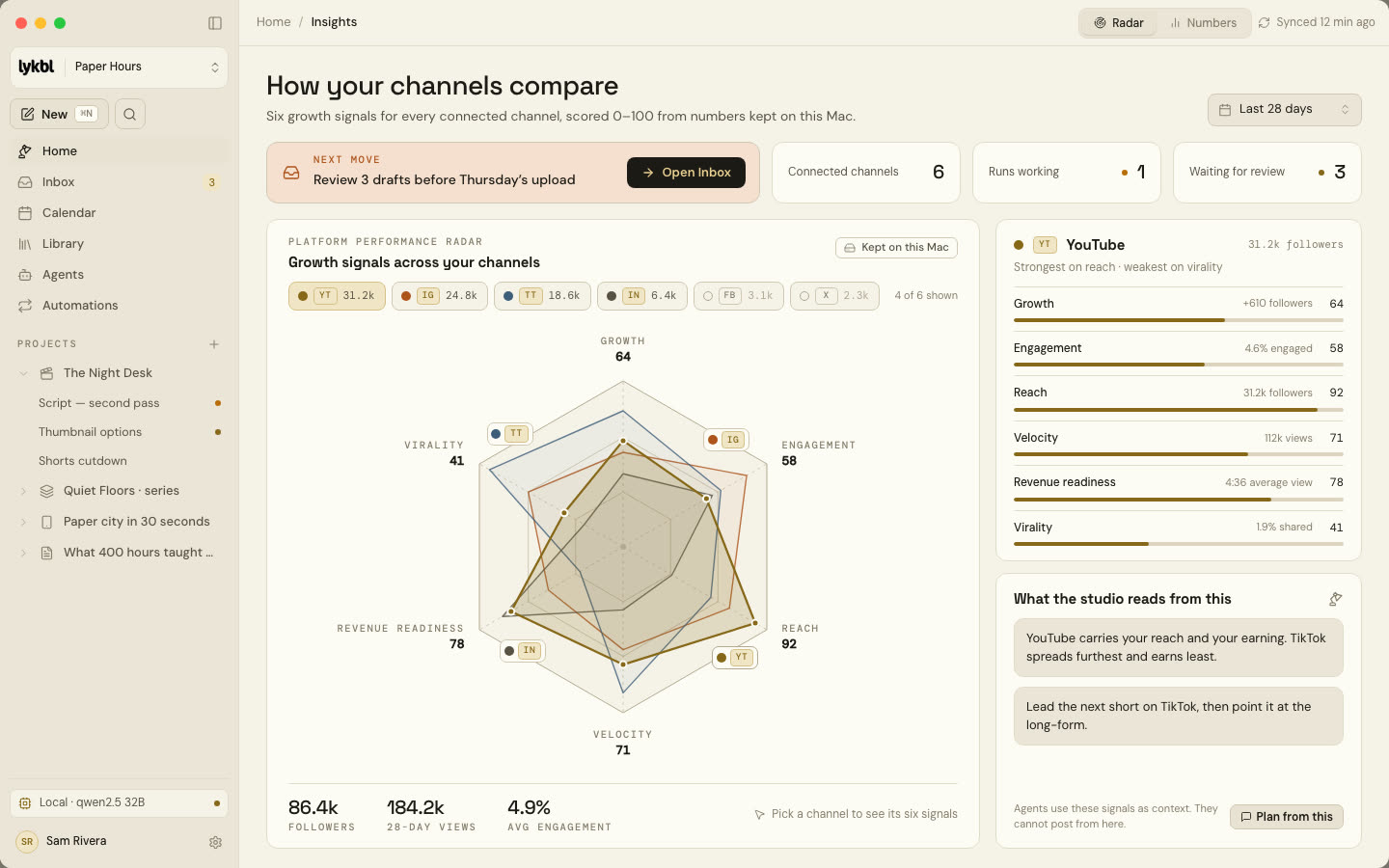
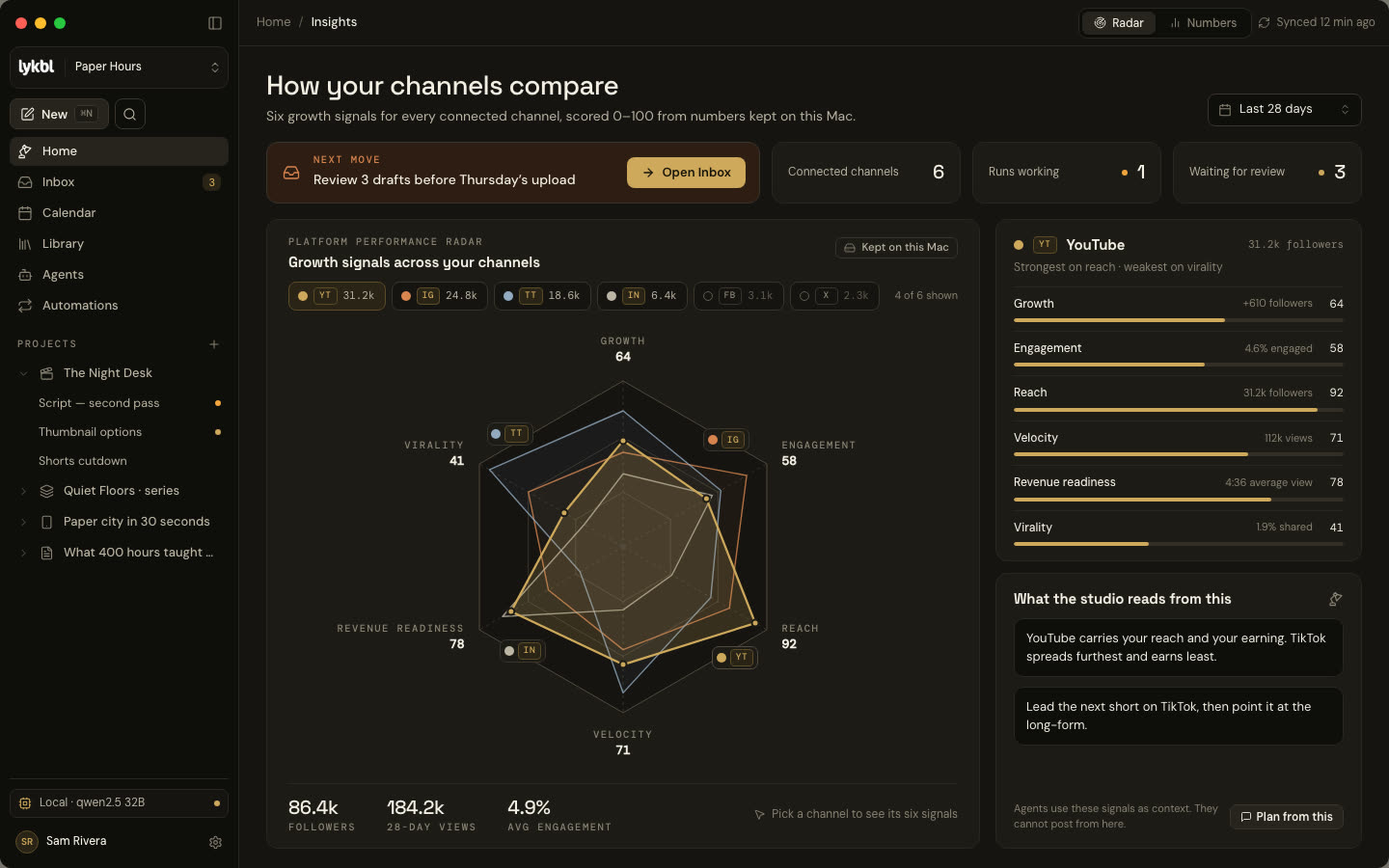
Every channel on one radar.
See how your connected channels compare on six growth signals — growth, engagement, reach, velocity, revenue readiness, and virality — from numbers kept on your Mac. Your agents read it as context for what to make next.
Mac app · early-access build · demo project
It starts with your channels, not a blank prompt.
Connect the platforms you publish on and the studio reads their signals side by side. Every task begins from what your audience is actually doing — with one queue for everything that gets prepared.
Hand over the task. Keep final cut.
Set up your studio
Install lykbl and connect the channels you publish on. Pick your models — local on your own machine, or cloud with your own keys — and your agents: the ones built in, OpenClaw, Hermes, and others, or ones you build yourself.
Hand over the task
Give one brief, not a string of prompts. Inside the harness, agents coordinate over A2A, the open agent protocol, so research, drafts, and packaging build on each other — no copy-pasting between tools.
Review every change
Work arrives as proposed changes. Edit, approve, or reject each one — publishing and outreach always wait for your yes.
Deals and bookings, in the same studio.
DMs, booking requests, brand inquiries, new members — they land in one revenue desk beside your content, with the reply drafted in your voice. You decide the next step.
- Brand deals and sponsorships
- Communities, courses, and cohorts
- Bookings, consults, and merch
Start from a ready-made workflow.
Or build your own — with any model and any agent →Audience Growth Team
Finds the audience signals closest to buying, writes the hooks and scripts, and plans 30 days of posts with buyer-intent tests.
Offer & Follow-up Team
Shapes one clear paid offer and its sales page, maps the path to paying customer, and drafts the replies and follow-ups.
Launch Sprint Team
Offer and sales page, a 30-day launch calendar with review gates, then posts for the channels you actually use.
Faceless Channel Studio
A hooks bank and full script, a scene-by-scene prompt pack for your own AI video tools, and an originality and compliance review.
“Can’t I just use ChatGPT for this?”
Developers stopped pasting code into chat tabs once the AI moved into the editor they already worked in: project open, any model, every change shown for approval before it lands. lykbl is that for creators — a program you install that holds your channels, your choice of models, and your choice of agents, with a review queue for every outward action. It doesn’t live in someone else’s cloud, so it doesn’t go down when theirs does.
Your brand never runs on autopilot.
Review-first by default
Every draft, reply, and post starts in one queue for your yes — nothing is published or sent without your approval.
Autonomy is earned, not assumed
On the roadmap: once a workflow has proven itself, you’ll be able to let it run end-to-end — per agent, per platform — and dial it back anytime. Until then, you approve everything.
Official APIs, full audit trail
We connect through official platform APIs — never scraping — and we log every action, so you can trust exactly what ran.
Your studio. Your agents. Your final cut.
Join the public beta — no card required. Nothing publishes or sends without your approval.
Early-adopter pricing. One payment of $149 for early adopters — no subscription. That isn’t the permanent price: it goes up to $299 after launch. Optional add-ons like cloud backup and remote access to your work come later.